
- The Comeback Kickoff (March 25): Hello, Baby Giraffe Mode
- Data Dive: My Top 4 Progressions
- UI Simplicity = Speed Logging Nirvana
- The Beep That Became My Drill Sergeant
- Pros & Cons: Jay’s Hardcore Checklist
- The “I Wish” Wish List
- Unexpected Surprises & Nerdy Easter Eggs
- Lessons Learned & Next Steps
- Final Verdict: Your No-BS Co-Pilot
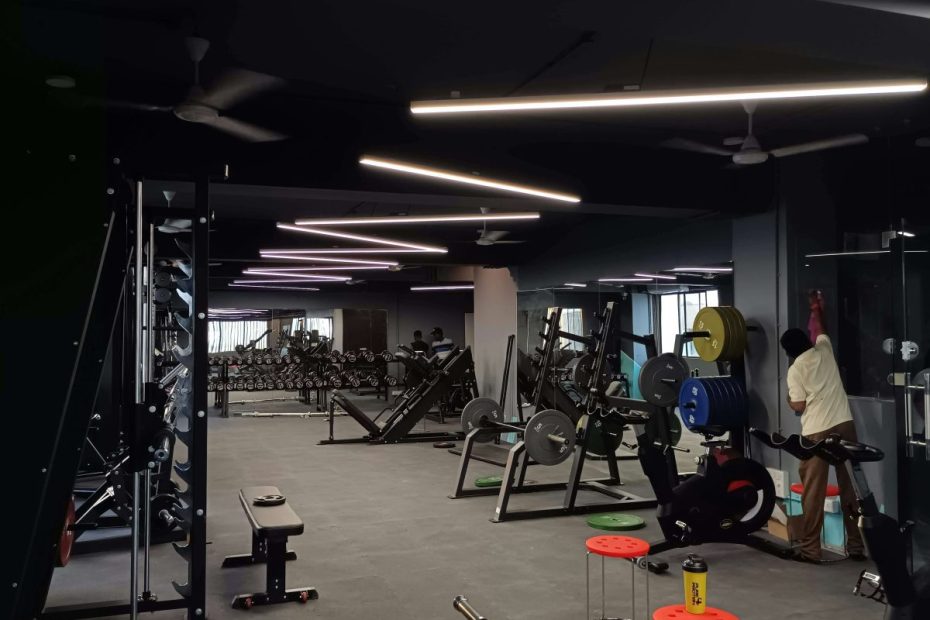
In March 2025, I did something crazier than flying through a thunderstorm without co-pilot clearance: I went back to the gym.
No, I’m not talking about skydiving or a juice cleanse (though both have crossed my mind). I mean actual barbell-swinging, chalk-dusting, DOMS-inducing lifting. And since this comeback needed structure, I figured it’s finally time to write a proper FitNotes review, because who better to join me than the minimalist app that once tracked my powerlifting PRs like a loyal gym buddy?
That gloriously clunky, ad-free, “designed in 2011” app helped me shed my lanky-pilot persona and morph into a (semi-respectable) powerlifting champ back in 2018. Spoiler alert: It still rocks harder than my deadlift PR.
The Comeback Kickoff (March 25): Hello, Baby Giraffe Mode
My first session back was a spectacle. Picture me in ratty shorts trying to squat 60 kg like it’s a feather. My glutes filed a formal HR complaint and threatened a protest.
Thankfully, FitNotes remembered me. I re-entered my old lifts (RIP to the 2022 logs I lost to a phone wipe) and logged:
- Squat: 60 kg × 6
- Deadlift: 100 kg × 6
- Leg Press: 80 kg × 10
Hitting Record on FitNotes—complete with my note “Felt like Death, still PR’d?!”—gave me that warm fuzzy “I got this” feeling. Or at least “I’ll feel this tomorrow” feeling.
Data Dive: My Top 4 Progressions
Here’s where FitNotes truly became my co-pilot—by turning hunches into hard data. Between March 25 and April 9, these lifts lit up my logs:
| Lift | Mar 25 | Apr 9 | Absolute Gain | Weight Gain % | Volume Gain% |
|---|---|---|---|---|---|
| Deadlift | 60 kg × 6 | 120 kg × 5 (Sumo) | +60 kg | +100% | +66.7% |
| Barbell Squat | 60 kg × 6 | 100 kg × 8 | +20 kg | +66.67% | +122.2% |
| Smith Bench Press | 30 kg × 8 | 40 kg × 6 | +10 kg | +33% | 0% |
| Incline Dumbbell Press | 20 kg × 10 | 37.5 kg × 10 | +15 kg | +87% | +87% |
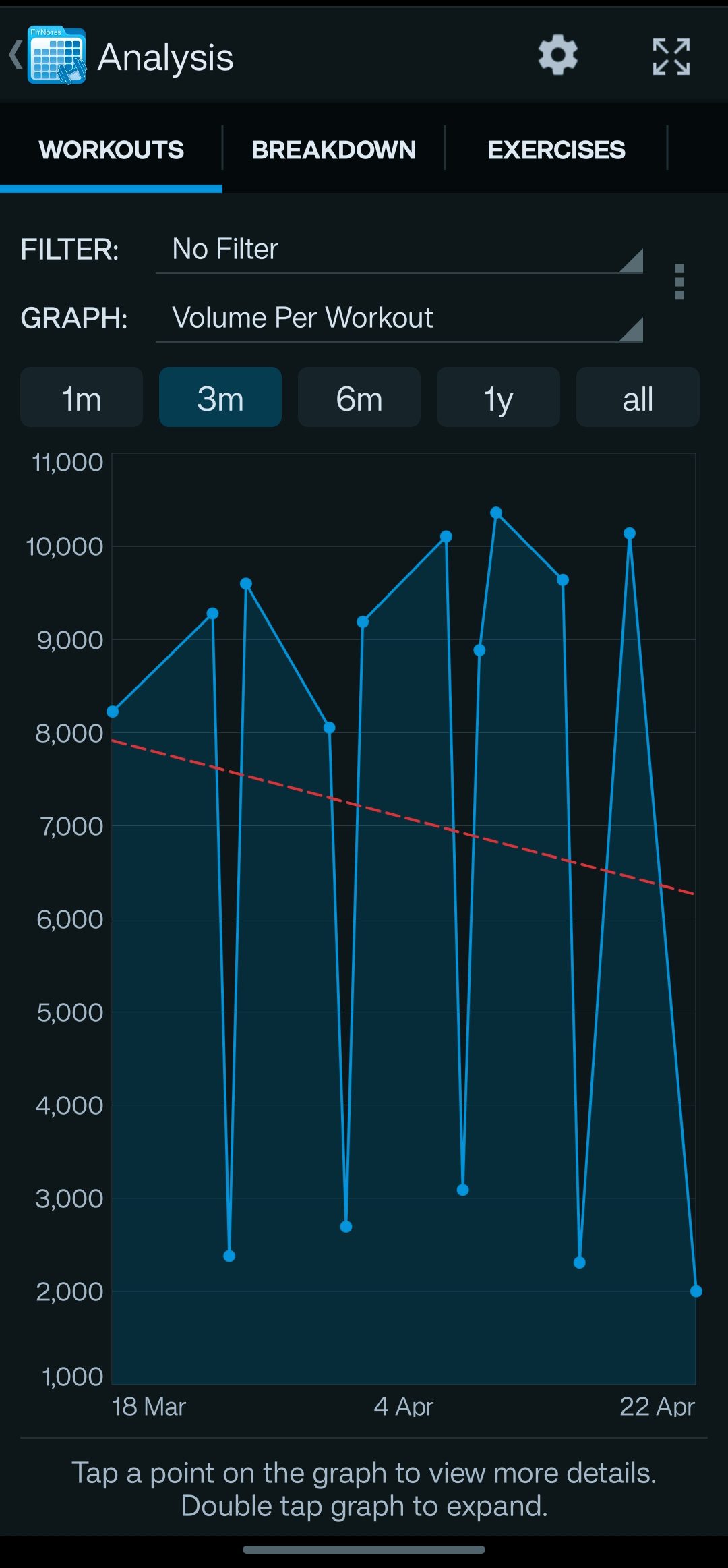
- Weekly Volume Jump: From ~8,000 kg to ~13,000 kg on leg days (a 62% increase).
- Estimated 1RM for deadlift climbed from ~120 kg to ~180 kg (Epley’s blessing).
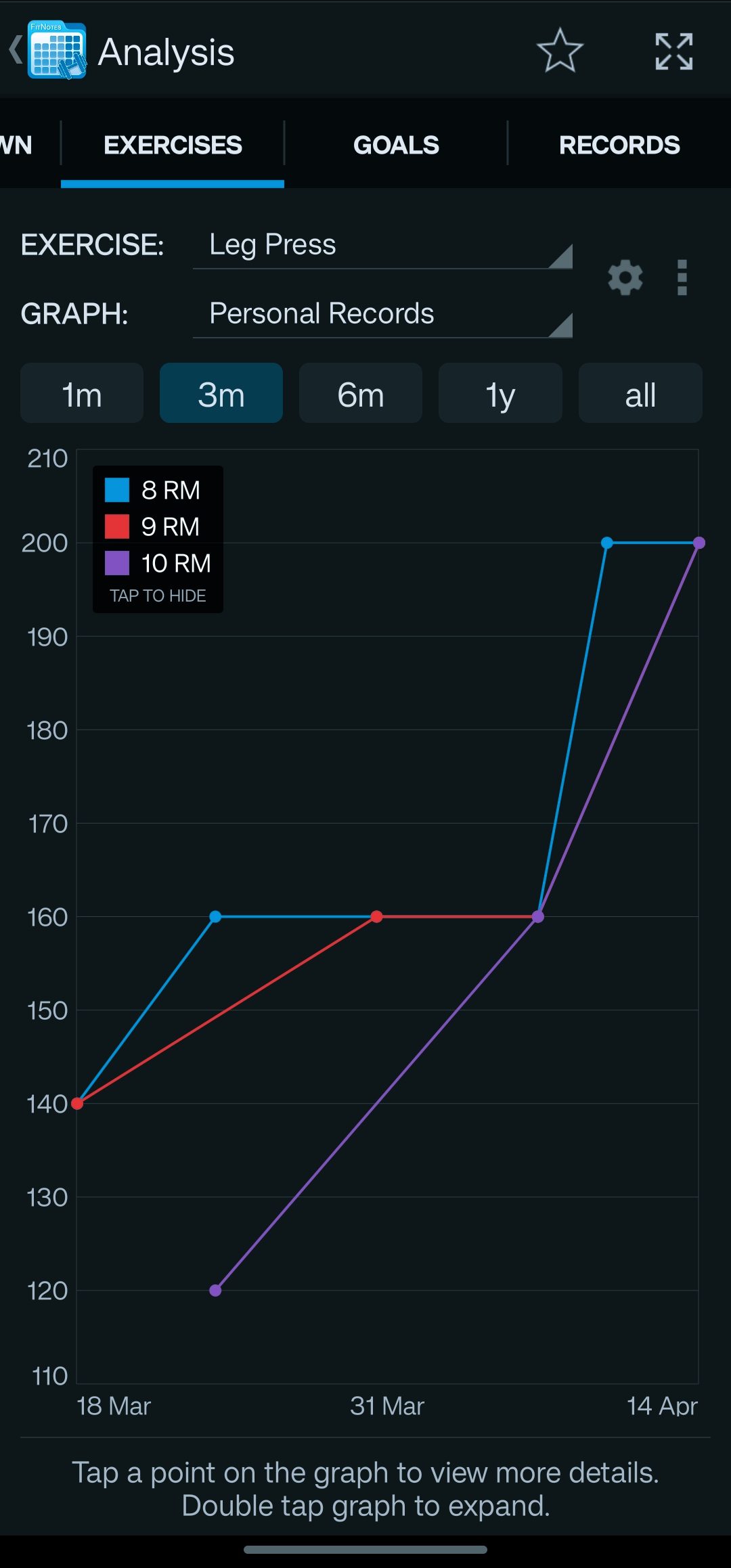
- Most-logged movement: Leg Press showed up in 9 sessions—my quads now whisper sweet threats on rest days.
UI Simplicity = Speed Logging Nirvana
There are two types of lifters:
- The Pastel-Theme Notion Journal Folks who craft mood-board-ready logs with Yupie fonts.
- The No-Bullsh!t Crew who just want to tap weight, reps, and move on.
FitNotes is pure Type 2 energy. It’s the Nokia 3310 of apps—ugly as sin, but somehow indestructible:
- Open app → Select workout → Tap sets → Save → Swipe to next exercise
- Zero pop-ups. Zero ads. Zero “Did you hydrate?” nonsense.
When you’re on a high-volume back day, you don’t need your app bugging you about your “mood.” Just log it and keep pulling.
The Beep That Became My Drill Sergeant
That sharp beep slicing through my earphones is my new best friend:
- 90-sec beep for compounds: “Drop the phone, bro.”
- 30-sec beep for accessory: “Your curls aren’t gonna curl themselves.”
- Superset mode (Beep × 2): “Surprise! You’re still working.”
I used to ignore gentle vibrations like “I ignore all life responsibilities.” But this beep? It demands respect.
Pros & Cons: Jay’s Hardcore Checklist
Pros
- Works Offline & No Account Needed
- Infinite Customization (rename “Weird Machine Thingy” to “Chaos Squat”)
- Built-In Rest Timer (that beep = accountability)
- Body & Progress Tracking (inches, kilos, shameful notes)
- CSV Export (nerd paradise)
Cons
- No Cloud Sync (one uninstall = tears)
- No Calorie Estimates (guess and pray)
- Tiny Timer UI (fine-print level on small screens)
- Stuck in 2014 (UI screams early Android beta)
- Learning Curve (first sessions feel like hieroglyphs)
The “I Wish” Wish List
- Calories Burned Estimate
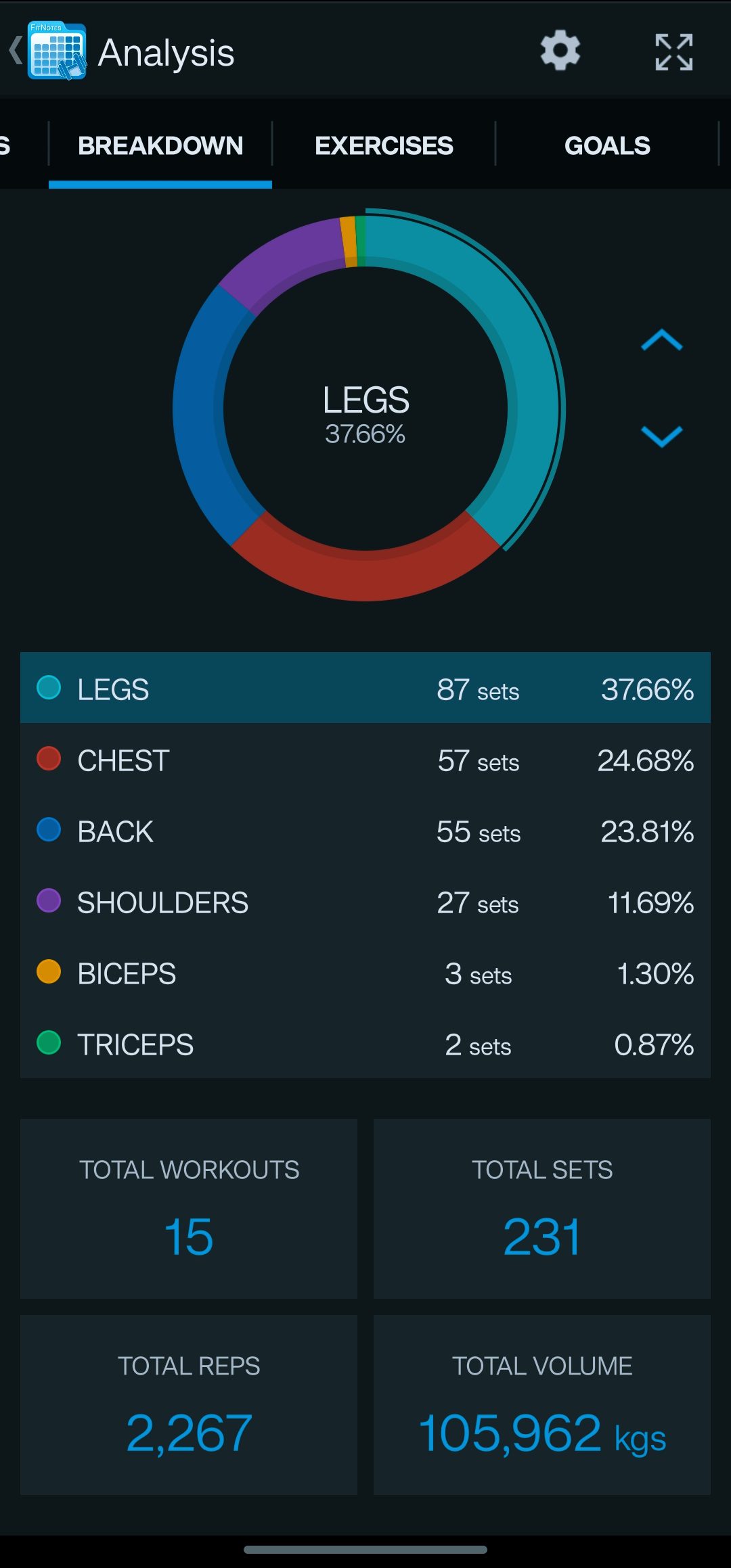
- Analytics Dashboard (volume-by-muscle graphs, PR timelines)
- Auto-Deload Planner
- Built-In Notes Templates (optional mood/sleep/nutrition fields)
Until then, I’ll keep exporting CSVs, smashing them into Sheets, and feeling like a data-obsessed mad scientist.
Unexpected Surprises & Nerdy Easter Eggs
- Custom Barbells: My gym’s 15 kg Olympic bar? No problem.
- Unit Swaps on the Fly: Machines in lbs/kgs, two taps fix it.
- 1RM Easter Egg: Enter any set & rep, and it spits out your estimated max.
Lessons Learned & Next Steps
- Arm-Day Block: My biceps saw training maybe once. Time to add curls & extensions.
- Core Work: Logged exactly zero core exercises. Planks and cable crunches, coming soon.
- Deload Week: After four PR-packed weeks, scheduling a chill week with lighter loads.
- Prehab Pulls: More face pulls & band work for shoulder health.
Final Verdict: Your No-BS Co-Pilot
FitNotes is the cast-iron plate of apps: ugly, heavy, built to last. It won’t coach you or coddle you, but it will remember every brutal rep and every sweet PR.
FitNotes nails training logs like no other. But for diet tracking? I pair it with Cronometer. It’s the macro-counting partner to my lifting log obsession, and if you’re curious how deep the rabbit hole goes, here’s my full Cronometer Gold review. Want a prettier logger? I also tested the Strive workout log app.
For a cadet pilot on a comeback mission, this app has been my data-driven first officer. Add cloud sync and analytics, and I might write it love poetry. Until then, I’ll keep logging my grind—one satisfying beep at a time.
What about you? Still scribbling in notebooks? Have a FitNotes hack that’s too weird to share? Drop it in the comments or slide into my DMs—let’s geek out over data together.
In my experience, for pure strength training and bodybuilding-style logging, Fitnotes is the best completely free app available. Its strength lies in its simplicity, powerful data analysis, and ad-free experience.
Fitnotes excels at raw data analysis and simplicity. Strive offers a more modern user interface and some social features. If you are a data-driven lifter who wants to analyze your progress, Fitnotes is superior. If you value aesthetics, Strive is a great choice.