
My rating: 4.25/5. Disclosure: I’m a Supernote media partner; Supernote supplied the Nomad, folio and pen free. No money changed hands. I tested it for one month. How I handle this.
Supernote Nomad vs Manta: the short answer
For pilots, the Nomad is the better Supernote. The 7.8-inch Nomad fits a kneeboard, flips to a fresh page with one tap, and stores every navlog, which the larger Manta can’t do in a Piper Archer cockpit. The Manta stays the better desk tablet for ground school and big PDFs. Both cost about $500 with accessories. Neither has a front light, so neither works on night flights without a light source.
| Supernote Nomad | Supernote Manta | |
|---|---|---|
| Screen | 7.8-inch E Ink | 10.7-inch E Ink |
| Weight | 266 g | About 375 g |
| Price as tested | About $500 with folio and pen | $505 device only |
| Writing surface | Glass-backed, firmer, short break-in | Flexible screen under FeelWrite film |
| Cockpit use | Fits a kneeboard | Too big; the yoke hit it in a climbing turn |
| Best for | Flying, navlogs, dispatch-room notes | Ground school, PDFs, desk study |
| My review | This page | Supernote Manta review |
A few months ago, I published a massive article praising the Supernote Manta as the ultimate ground school savior. I detailed how its heavily restricted interface provided the necessary cognitive friction to survive the dense theory and stage oral notes required for my pilot exams. It was a highly specialized instrument that prevented mindless PDF highlighting and forced actual memory encoding.
But ground is only half the battle. Eventually, you have to close the textbooks, walk out onto the tarmac, and actually fly the plane. Since e-ink worked so flawlessly for my ground theory studying, the next logical step was to take it for a flight.
I take things to 35,000 feet or at least supposed to as soon as I finish Commercial Pilot License. Currently I take things to 7500 feet.
Naturally, I took the Manta into the cockpit. On paper, it made perfect sense. The Manta is positioned as Supernote’s flagship device, the direct equivalent to what the iPad Pro is for Apple. We are wired to assume flagships are inherently the best tool for the job.
But that assumption ran straight into the physical reality of aviation. The consumer tech industry’s obsession with massive screens violently collides with the constraints of a training aircraft. Because I sit high in the Piper Archer to maintain visibility, my leg clearance under the yoke is incredibly tight. On my leg, the Manta 10.7 inch footprint is a few inches too large. The breaking point came during a climbing turn. As I pulled back and turned, the aircraft yoke struck the top edge of the Manta. The device became an operational liability in a matter of seconds. It was only after I shut the engine down on the ramp that I even considered their smaller device, the Supernote Nomad.
By scaling down to a compact 7.8 inches, the Nomad perfectly mirrors the footprint of the iPad Mini I already use as my dedicated Electronic Flight Bag. That reduction in size completely shifts the narrative from ground school endurance to active cockpit utility. It isn’t just a study companion anymore; it is a tactical tool designed to replace my paper kneeboard without getting in the way of the flight controls.

Here are the complete hardware specifications for the Nomad:
| Specification | Details |
|---|---|
| Dimensions | 191.9 mm (7.6″) x 139.2 mm (5.5″) x 6.8 mm (0.27″) |
| Weight | 266 g (0.59 lbs) |
| Display | 7.8-inch glass E-Ink screen (Frontlight free) |
| Resolution | 1404 × 1872 at 300 PPI |
| Screen Texture | FeelWrite 2 Self-recovery Soft Film |
| Processor | RK3566 Quad-Core 1.8 GHz (Upgradable Motherboard) |
| Memory (RAM) | 4 GB |
| Storage | 32 GB Internal + MicroSD expansion (up to 2 TB) |
| Battery | 2700 mAh (User-replaceable) |
| Operating System | Chauvet (Customized Android 11-based system) |
| Connectivity | Wi-Fi (2.4 GHz & 5 GHz), Bluetooth 5.0, USB-C 2.0 (OTG support) |
| File Support | .note, PDF, EPUB, Word, TXT, PNG, JPG, CBZ, integration with Kindle app |
Supernote Nomad in the Cockpit: The Kneeboard Test
During recent cross-country flights and dual missions preparing for my Instrument Rating (IR), I completely replaced my traditional paper kneeboard with the Nomad. The operational shift highlighted the stark difference between ground studying and in-flight survival.
When you are shooting an approach or navigating a busy airspace, you do not have the luxury of looking down at your lap. You keep one hand firmly on the yoke, and the other is writing blindly on your kneeboard to copy down an amended ATIS, an EFC time for a hold, or a new radio frequency. Under a high task load, cognitive bandwidth is your most valuable resource. Every tiny decision adds up, and the distraction is dangerous.
Turning a physical page on the kneeboard while flying is not impossible, but it is undeniably awkward and annoying. You have to find the edge of the paper, lift it, fold it back, and secure it firmly under the heavy metal clip so the aircraft’s air vents do not blow it around.
The Nomad removes that physical friction entirely. With a simple tap to the screen, you get a fresh infinite page. I can’t see what I’m writing, so I write big and leave space between lines, and it stays readable on the Nomad. You will never accidentally scribble over your previous altimeter settings or run out of paper mid-clearance.
There is, however, one noticeable hardware friction. The pen remains fairly secure in the folio’s loop. Returning it requires you to actually look down and thread down the needle. Part of me wishes there was a strong magnetic attachment for zero-look stowing on the side of the bezel.
The Navlog Archive
There’s a second kind of cockpit paperwork the nomad quietly took over, and it wasn’t the one I expected to care about. The Navlog.
Before this, my navlogs lived and died with the flight. I’d build one, fly it, and then dump it. A single-use document, gone the moment the flight is over. There was never a reason to keep it. Paper doesn’t archive well, and a stack of used navlogs is just clutter in the flight bag.
I build my navlogs on my Mac and then either type them on the paper template or print them out. Now I just export them as a PDF and use the Supernote partner app to push it to the Supernote Nomad. Once it’s on the device, the navlogs stop being disposable. I can annotate actual winds, revised ETA, and actual arrival times along with the fuel burn. I can erase and redo those annotations cleanly instead of crossing things out. More importantly, I can actually keep the file now. Every navlog becomes a small, permanent record of what the flight actually looked like versus what I planned on paper the night before. Which turns out to be a genuinely useful thing to have around when you are prepping for a checkride and want to see how your planning holds up against reality over a dozen flights.
The Brainstorming
Flight training isn’t entirely spent in the air. A significant portion of a pilot’s life involves waiting in the dispatch waiting area. This is where the portability of the Nomad changes how I work entirely.
In my previous review, I argued that cognitive friction is highly beneficial for memory retention. The Supernote Manta demands a desk. It forces you to sit down, open a large folio, and adopt a dedicated posture, and friction is perfect for encoding the complex aerodynamic theory. But friction is incredibly harmful when you are trying to preserve spontaneous thought before it disappears.
Epiphanies, random eureka moments, and sudden article ideas for the Turbulencegains do not wait for you to sit at a desk. Because of the Nomad’s footprint, it’s small enough to slide into a jacket’s pocket or slip into my flight bag; it provides zero-friction access. You can hold it easily in one hand like a paperback novel for quick jotting. It completely removes the physical barriers to capturing ideas on the go. If you want e-ink for glanceable information rather than writing, see my TRMNL review.
Form Meets Function: The Crystal Edition
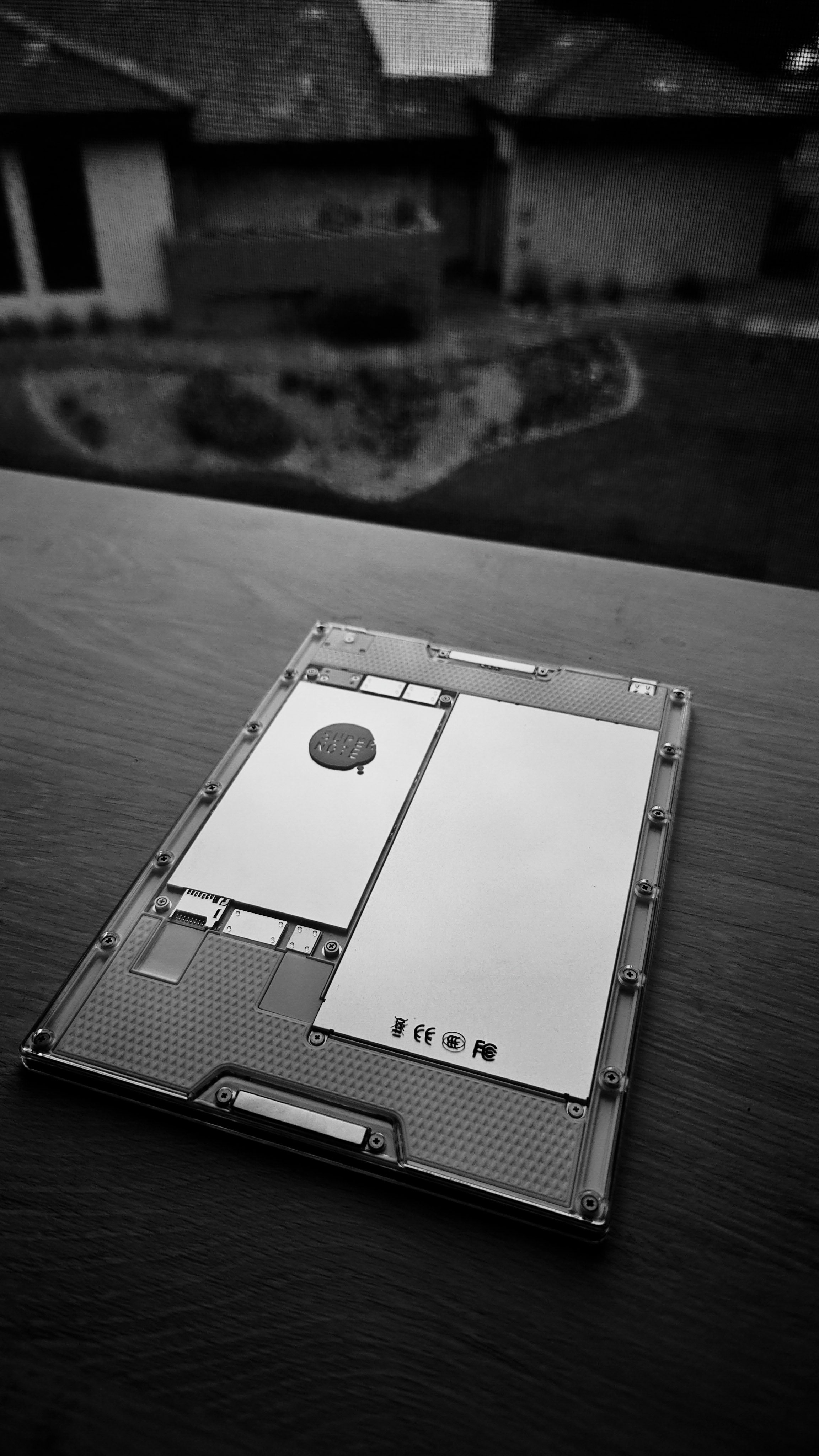
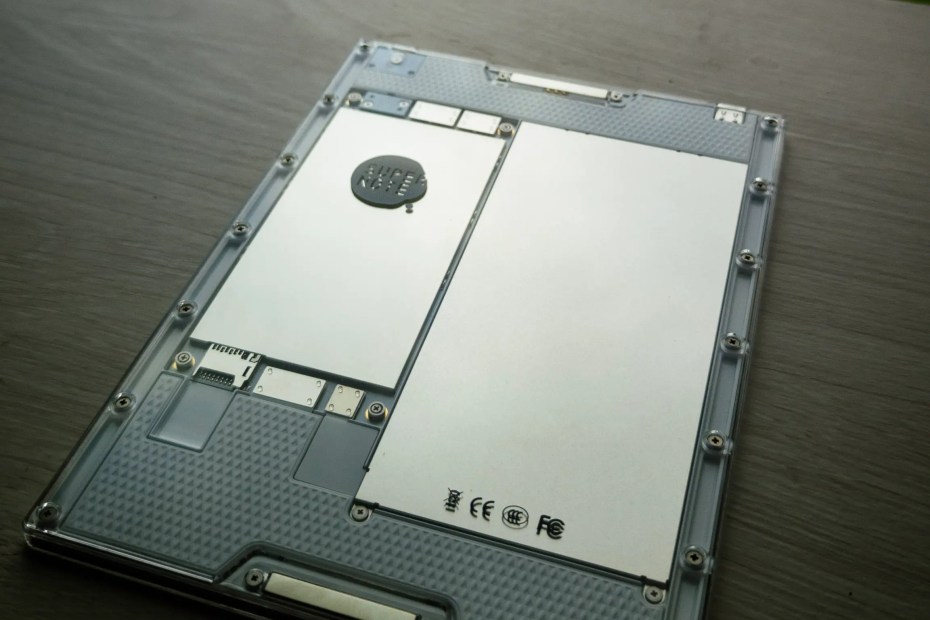
Aviation gear defaults toward pure utility, which often results in bulky, drab, and uninspired designs. When Supernote offered the Nomad, I chose the clear Crystal edition. It exposes the internal modules underneath the backplate, giving it a distinct retro tech aesthetic while maintaining a very solid build quality. It proves that a highly functional, single-purpose tool does not have to look like cheap military surplus.
Beyond aesthetics, the design shift dramatically changes the physical writing experience. The larger Manta features a flexible E Ink screen underneath the FeelWrite film. The Nomad, however, utilizes a rigid glass screen. On the Manta, the pen tip sinks slightly into the flexible display, offering softer feedback. The Nomad’s glass backing stops that sink, delivering a crisper, firmer strike and a more consistent physical reference for your hand when the aircraft itself is moving under you.
It is worth noting that this glass-backed surface requires a physical break-in period. Out of the box, the friction can feel slightly abrasive, especially when paired with a hard ceramic nib like the Heart of Metal pen. However, after about a week of routine use, the film physically conditions to your writing. The initial scratchiness smooths out into a highly consistent drag. When you are aggressively scribbling down a reroute clearance while getting bounced around by thermals over the Arizona desert, that conditioned, unyielding rigidity feels exactly right.
Breaking the Sandbox: Capability When Sought Out

In my Manta review, I heavily praised Supernote’s restricted ecosystem. Its absolute refusal to operate like a traditional tablet was its greatest strength. At first glance, opting into their Early Tester Program (ETP) to download third-party plugins feels like a betrayal of that distraction-free philosophy.
But it actually highlights a core philosophical difference between the Supernote and standard smart devices. An iPad pushes notifications, apps, and capabilities onto you by default. The Supernote OS enables capability only when sought out. It is strictly opt-in. The Nomad remains a dumb piece of paper until you explicitly ask it to be smarter.
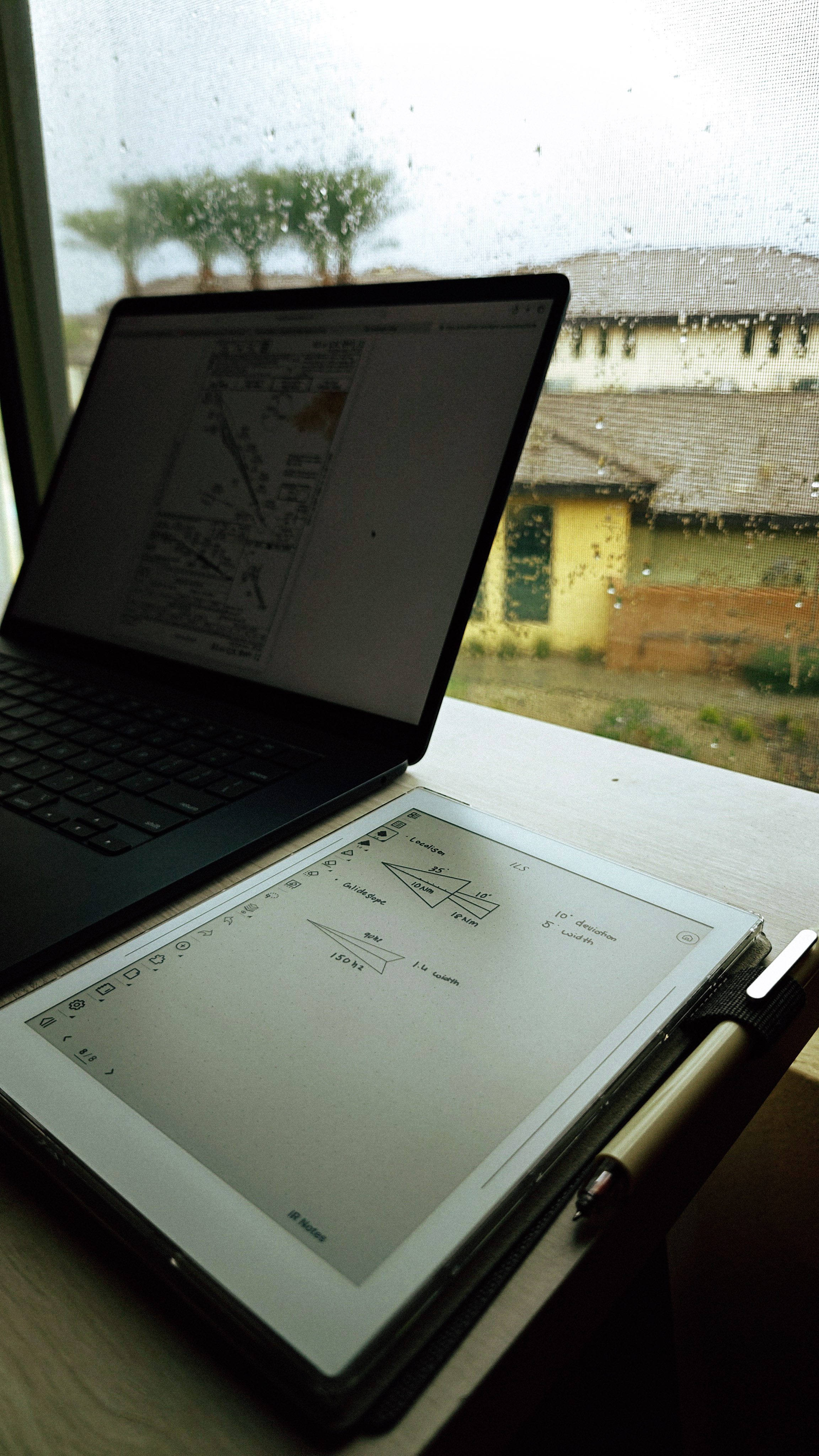
The ETP software adds crucial scope for flight training. The most valuable addition is the snap-to-shape feature. To be clear, I am not drawing holding patterns while flying the aircraft. In the sky, the Nomad is strictly a rapid-fire scratchpad. But on the ground it acts as a precision tool. I used it to draw a cross-section of the ILS for my IR notes: I sketch a rough shape and the OS snaps it into crisp geometric lines.
The continuous OS updates have also resolved my biggest critique from the Manta review. The two-finger lasso gesture is vastly improved. Previously, attempting to select text often resulted in accidentally drawing a circle over the notes. On the Nomad, the gesture registers reliably every time. This pays massive dividends in the cockpit when you need to quickly select and shrink a block of text to clear space on a page.
Is the Supernote Nomad Worth It for Pilots?
I should say upfront: I’m a Supernote media partner. Supernote provided the Nomad, folio, and pen at no cost. No money changed hands for this article, and Supernote had no editorial oversight and did not see it before I published. That access lets me test gear most pilots would never spend the money to find out about themselves. It’s also why I try to be blunt about where the device falls short, from the pen loop to the lack of a frontlight. Every opinion here comes from my own flying and studying.
Which is exactly why I’m not going to tell you every pilot needs one. Most won’t. If you’re flying VFR locally in a G1000-equipped trainer, you may not even carry an iPad. The glass panel already gives you the moving map, traffic, and terrain a scratchpad was never meant to replace, and adding a second device to your bag is just extra weight for a mission that doesn’t need it.
Where the Nomad actually earns its place is IR training specifically. That’s partly because IR flying is where the iPad’s job approach plates, airspace familiarity, and spatial awareness on approach is at its heaviest, and partly because that’s exactly when you don’t want to be improvising a scratchpad over your moving map mid-approach. It’s worth noticing that the iPad’s role flexes with the mission, essential for IR, often unnecessary for a local VFR hop, while the Nomad’s job stays exactly the same either way. That consistency is a big part of why I keep reaching for it.
Then there’s the price. With the folio and the standard push-up pen, the Nomad comes to about $500. That is roughly what the Manta costs for the bare device alone ($505), before you add a folio or a pen. The smaller size doesn’t come with a premium. You get a complete, cockpit-ready setup for what the flagship charges for its hardware by itself. So the real question isn’t whether the Nomad is worth flagship money. It’s whether a dedicated writing surface is worth about $500 on top of an iPad Mini you already own.
If you’re bothered by iPad glare on a sunny ramp, or by a tablet overheating and throttling itself on a 105-degree taxi, you’ll likely feel the appeal too. If none of that sounds like your problem, a legal pad and a pencil will serve you just as well for a fraction of the cost.
Supernote Nomad Review: Final Verdict

If you look closely through the clear backplate of the Crystal edition, you will notice that Supernote uses two completely separate types of screws. One set is designed strictly to hold the backplate together, and another smaller set is used specifically to secure the delicate electronics to the body. They sit right next to each other, but they perform completely different structural jobs.
That’s exactly how I view the iPad and the Nomad in the aircraft. Is the Nomad explicitly made for the cockpit? Probably not. An iPad running ForeFlight already has a built-in scratchpad feature. But replacing the iPad was never the Nomad’s job. Pulling up a digital scratchpad over your moving map exactly when you desperately need spatial awareness during an instrument approach is a terrible user experience. The Nomad serves as a dedicated, always-on physical surface solely for taking notes, ensuring your EFB screen is never blocked.
Both devices sit side by side in the cockpit, doing entirely different jobs. Ultimately, the Nomad proves that you don’t need the biggest screen to be productive. You just need the exact right tool for the environment you operate in. The rest of my flight bag, including the Sony WH-1000XM5s I wear on flights, follows the same rule.
Full Disclosure: I’m a Supernote media partner. For this review, Supernote provided the Nomad Crystal, the folio, and the standard push-up pen at no cost. However, no money changed hands for this article, and they did not have editorial oversight or see this review before I hit publish. I was under no obligation to say anything positive, and every criticism in this piece is mine, from the pen loop to the night-flying blind spot. My allegiance is strictly to my own flight training, my Instrument Rating, and you, the reader. All opinions, frustrations, and conclusions are entirely my own.
No. Supernote leaves the frontlight out on every model, including the Nomad, as a deliberate trade-off. Adding one would put an extra layer between the pen nib and the screen and dull the writing feel they’re built around. In practice, that means the Nomad is unreadable after dark without an external light source, which is exactly the limitation I ran into on night flights.
The 2700 mAh battery is rated for roughly a week to two weeks of regular use, and independent testing puts typical drain around 8% a day with mixed reading and writing. It’s also user-replaceable, so the battery isn’t a reason to eventually replace the whole device.
It depends on the job. The Manta’s larger 10.7-inch screen suits desk-bound study, annotating dense PDFs, and anything where screen real estate matters more than portability. The Nomad’s 7.8-inch footprint trades that space for something that fits in a jacket pocket and doesn’t interfere with a yoke in a cramped cockpit. I use the Manta for ground school and the Nomad for everything in the air. They’re not really competing for the same job.
Not for every pilot. If you’re flying VFR locally in a glass-cockpit trainer, you may not even carry an iPad, and a dedicated scratchpad is extra weight you don’t need. Where it earns its place is IR training, where your iPad is already busy with plates and your moving map, and a separate always-on writing surface means you’re never covering that screen mid-approach to jot down a clearance.
With the folio and the standard pen, the Crystal edition runs about $500, close to what the bare Manta costs before you add any accessories. The real question isn’t whether the Nomad is worth flagship money; it’s whether a dedicated writing surface is worth roughly $500 on top of an iPad Mini you likely already own.
Yes. The Nomad supports PDF, Word, EPUB, and several other formats natively, and Supernote’s desktop and mobile apps push files over wirelessly. I build my navlogs on my Mac, export them as a PDF, and push them to the Nomad before every flight turning what used to be a disposable piece of paper into an annotated, permanent flight record.